
Foldillo
English
EnglishРусскийFrançais日本語

From your Mac
to your server.

Foldillo is a free, two-pane file transfer client for macOS. Browse an SFTP server, update a website over WebDAV or move a folder into S3, all from one window.

macOS 14 or laterFree · No ads
Foldillo, an armadillo with golden folders for a shell
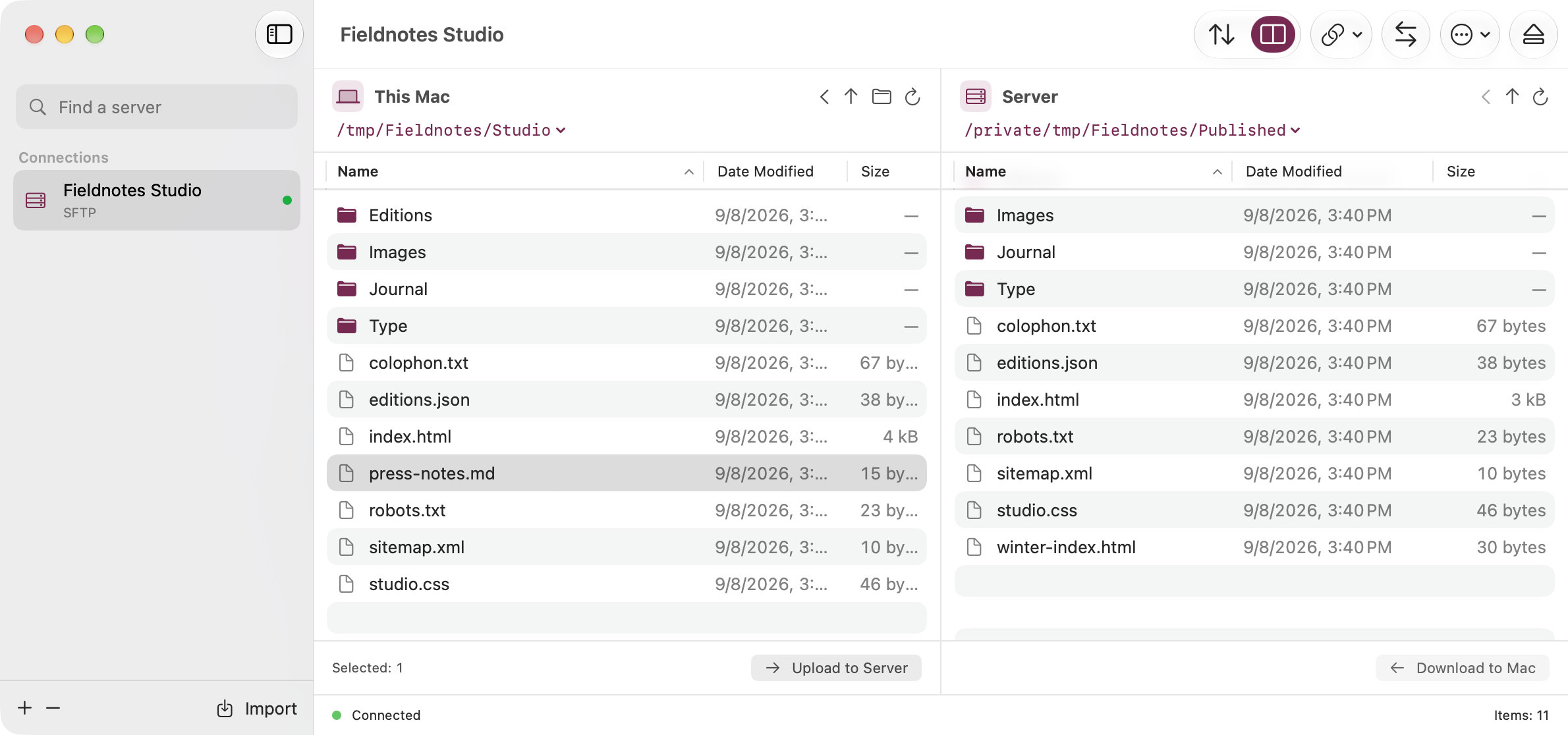
Foldillo in two-pane view. The local press-notes.md file is selected for upload to the SFTP server.
Local and published folders for the Fieldnotes Studio website, side by side over SFTP.

Compare a folder before you publish

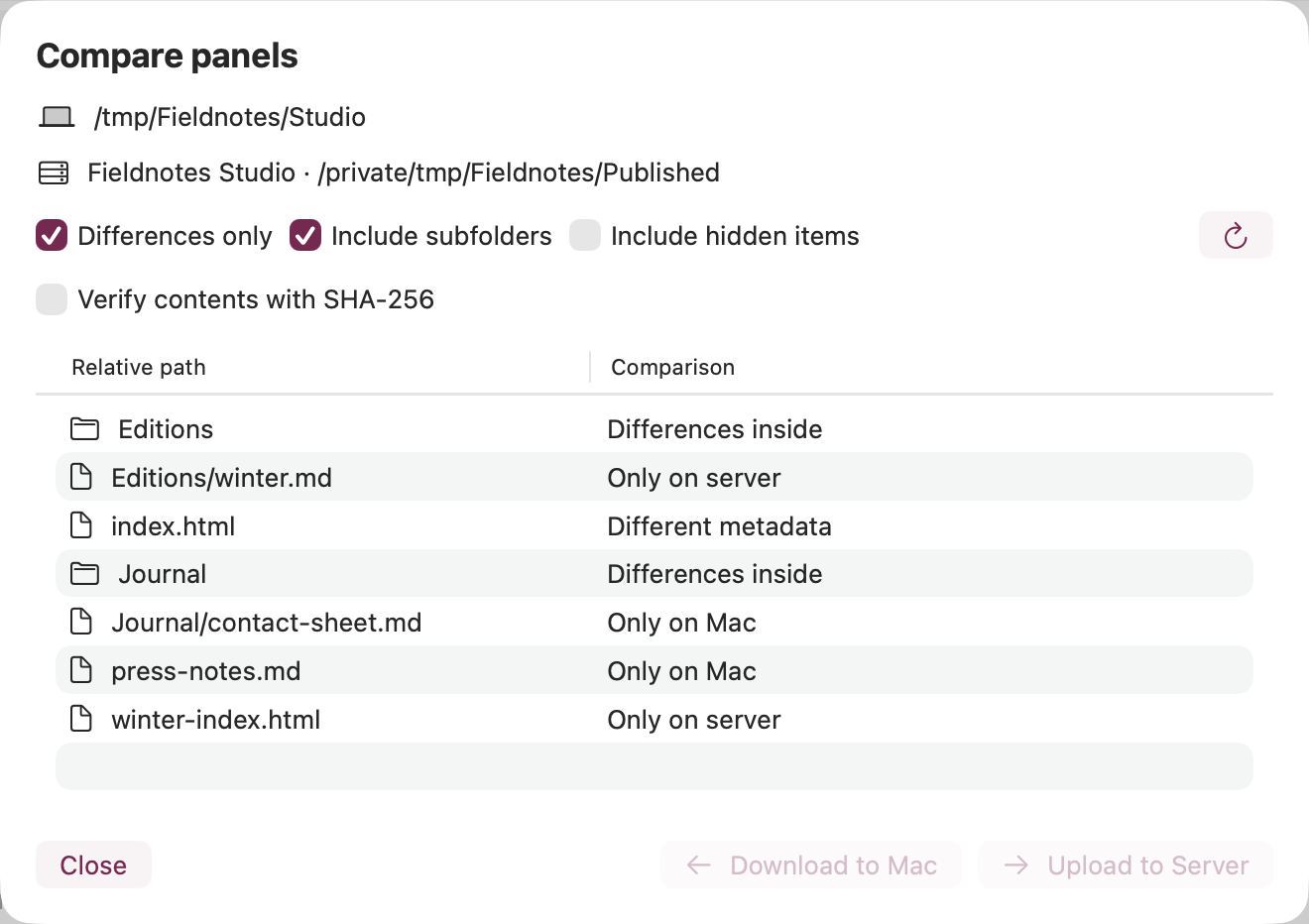
Compare sizes and dates across nested folders, or enable SHA-256 to check the contents. Select the differences you want to copy in either direction and review replacements before sending them.

Foldillo’s folder comparison lists changes inside Editions and Journal, including files found on only one side.

Large file transfers

Resume an interrupted transfer

Open Transfers after restarting Foldillo and reconnect to the saved connection. A folder transfer keeps track of completed files. Large SFTP uploads can resume from a verified partial copy, and S3 multipart uploads can reuse completed parts.

Move files between two SFTP servers

Copy on one connection and paste on another. Foldillo streams the file through your Mac in chunks, so you can move a file larger than the free space on your disk. Keep the Mac online while the transfer runs.

What can Foldillo connect to?

Read the transfer guide
SFTP
Sign in using an SSH key, your agent or a password. Check the server’s host key when you first connect.
FTP / FTPS
Use passive FTP or explicit FTPS with certificate verification. Choose FTPS when the server offers it.
WebDAV
Browse, download and upload files on WebDAV servers. Use HTTPS to protect credentials in transit.
S3
Connect to an S3-compatible HTTPS endpoint with a region and access keys. Large uploads support multipart transfer.